Scan the receipt. Split the bill. Tip right.
Ez Bill reads the receipt, checks the tip against how people tip where you are, and splits it evenly or item by item.


For iPhone, iPad, Apple Watch and Android.
Trattoria 4141 Mercer St, New York, NYTable 12 · 3 guests · 8:47 PMSample bill
| 1 | Burrata, charred bread | 14.00 |
|---|---|---|
| 1 | Rigatoni alla vodka | 22.50 |
| 1 | Half roast chicken | 26.86 |
| 1 | Tiramisu | 9.00 |
| 3 | Sparkling water | 7.00 |
| Subtotal | 79.36 | |
| Tax 8.875% | 7.04 | |
| Total | 86.40 | |
Tip calculator
Tip 18 – 20% before tax
Check your bill for:
- automatic gratuity service charge for large parties, not a voluntary tip; check before adding more
- service charge mandatory fee set by the restaurant, not a voluntary tip
Move the tip and every phone's share moves with it.
Your share
Ana
$31.51
- Rigatoni22.50
- Water2.34
- Tax + 18% tip6.67
Split by item · 18% tip
Your share
Ben
$32.14
- Burrata14.00
- Tiramisu9.00
- Water2.33
- Tax + 18% tip6.81
Split by item · 18% tip
Your share
Chiara
$37.03
- Roast chicken26.86
- Water2.33
- Tax + 18% tip7.84
Split by item · 18% tip
Three phones, three shares. Together they add up to $100.68, the total with tip.
Bill terms to look for before you tip: coperto · servizio incluso · automatic gratuity · serviço 10% · service charge 12.5% · propina sugerida · otōshi · cubierto · szervizdíj
How it works
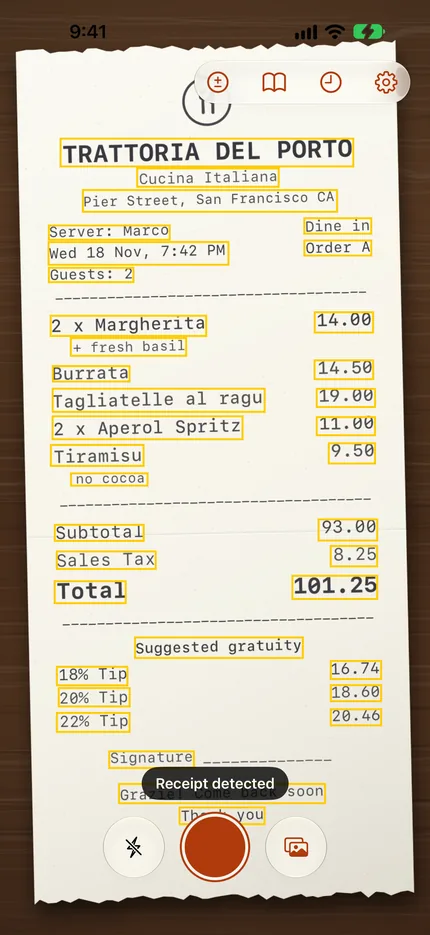
Scan
Point the camera at the receipt. Ez Bill reads the items, tax and total on your phone.
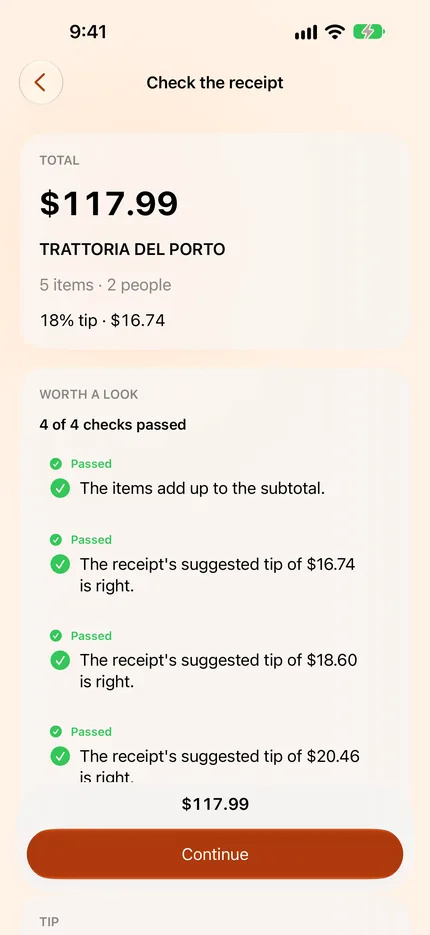
Check
See the tip that fits the country and the place, and fix anything the scan misread.
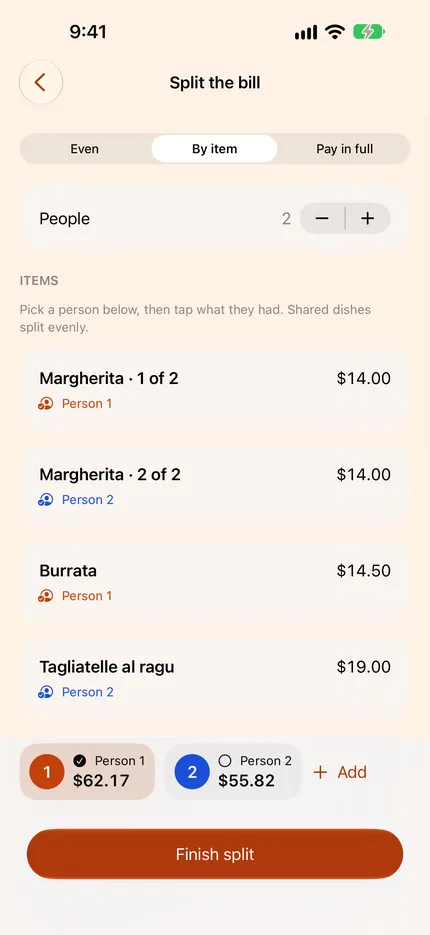
Split
Split evenly, or by item with Pro: tap who had what and Ez Bill does the shares.
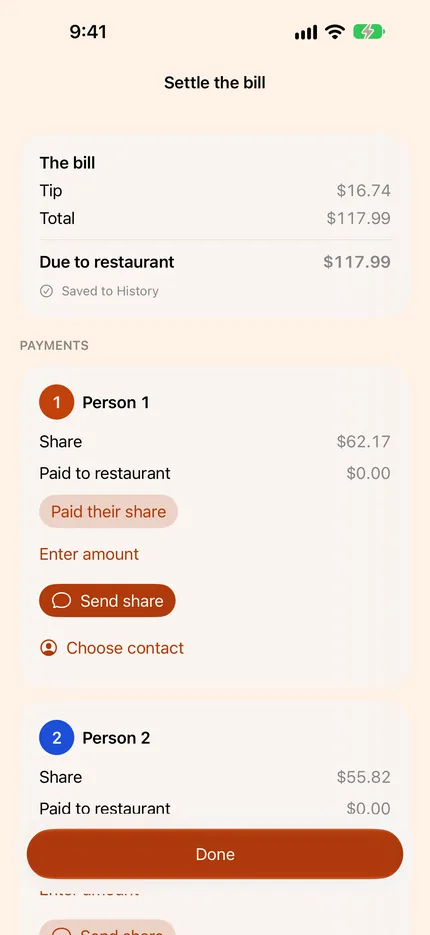
Settle Pro
Send each person their share by text message.


What it does
Receipt scanning
Reads items, tax and total on your device.
No signal needed
Guide, scanning and translation work offline.
Split by item Pro
Tap who had what; tax and tip follow each share.
Classic calculator
Type the bill, pick the tip and split it. Free, no scan needed.
Apple Watch & Wear OS
A quick tip and split from your wrist.
Travel mode Pro
Translate the receipt and convert the total.
Free, with Pro when you want more
Free
- Classic tip calculator
- Tipping guide
- History list
- Widget, Apple Watch on iPhone and Wear OS on Android
- 5 receipt scans a month
Pro, a one-time purchase
- Unlimited scans
- Split by item and share by text message
- Travel mode: receipt translation and currency conversion
- History map and search
Questions
Does Ez Bill need an account?
No. There is no account, no ads, and your bills stay on your device.
Is Ez Bill free?
Yes. The tip calculator and the tipping guide are free, and so are 5 receipt scans a month. Pro is a single in-app purchase that adds unlimited scans, splitting by item, Travel mode, shares by text message and the History map.
Is Pro a subscription?
No. Pro is a single in-app purchase.
Do my receipts leave my phone?
No. Receipts are read on your phone and never uploaded. There is no account, and your bills stay on your device.
Does Ez Bill's tip calculator work abroad?
Yes, Ez Bill works abroad. The tipping guide covers 83 countries, and Pro translates receipts and converts the total to your home currency. Open the tipping guide
Does Ez Bill work offline?
Yes, Ez Bill works offline. The tipping guide, US sales tax by ZIP, receipt scanning and receipt translation all run on your phone. Download a translation language once and it works anywhere. Only the daily exchange rates need a connection, and the last ones stay saved.
Does Ez Bill work on Apple Watch?
Yes, on iPhone. Work out a tip and a split from your wrist, and keep the current bill on your watch face. On Android there is a Wear OS app with the same tip and split, plus a tile and a complication.
Is there an Android app?
Yes. Ez Bill is on Google Play for Android 10 and later, with scanning, splitting by item and the tipping guide. Receipts are read on your phone and never uploaded.
Splitting by item? Scan the receipt in Ez Bill.
For iPhone, iPad, Apple Watch and Android.